How to Print a Perfect Tattoo Stencil: Best Tattoo Stencil Printers, Stencil Paper & Gel Tips
If you want crisp linework and confident placement, your stencil has to be clean, readable, and built to last. The good news: a “perfect” stencil isn’t magic—it’s a repeatable workflow using three essentials: a reliable tattoo stencil printer, quality stencil paper and the right tattoo stencil gel technique.
In this guide, you’ll learn how to print tattoo stencil designs that transfer sharply, resist smudging, and stay visible long enough to work with.
What makes a stencil “perfect”?
A perfect stencil is:
- True-to-size (no surprise scaling)
- Sharp (fine lines don’t blur)
- Evenly transferred (no patchy gaps)
- Smudge-resistant (doesn’t wipe away instantly)
- Consistent (you can repeat the same results every time)
Most stencil issues come from one of two things: unreliable printing (size/clarity) or rushed transfer (too much gel / not enough drying time).
Step 1: Choose the right tattoo stencil printer
A dedicated tattoo stencil printer helps you print consistently—especially if you’re doing multiple stencils a day or working between different locations.
What to look for
When comparing a tattoo stencil printer, prioritise:
- Scale accuracy: avoid printers that auto-resize unexpectedly
- A4 width support (210mm): keeps your workflow standard
- Wireless + wired options: Bluetooth for convenience, USB as a backup
- Portability: lightweight builds + battery power for travel
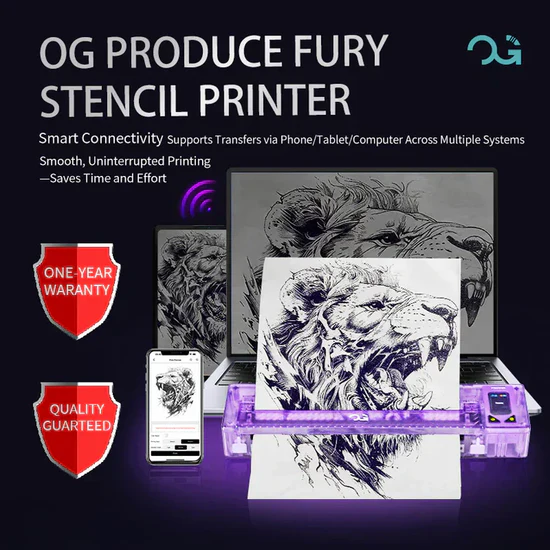
InkPro’s stencil collection includes a wireless tattoo stencil printer option designed for mobile-friendly use: Bluetooth/USB connectivity, A4 print width support, and cross-device compatibility (phone and computer). If your goal is to “set it and forget it” for consistent size and quick prints, this kind of printer setup is the most straightforward route.
Tip: Before you print, confirm your artwork is already sized correctly in your design/app. The best stencil printers keep scale consistent—but your file still needs the right dimensions.
Step 2: Use stencil paper that stays crisp
Your stencil paper matters as much as the printer. Low-quality transfer sheets can create fuzzy lines, uneven transfers, and weak visibility once you start working.
What good stencil paper should do
Quality stencil paper should:
- Produce clear, legible lines
- Hold fine details without “fuzz”
- Work reliably with thermal printing
- Allow hand-drawn tracing when needed
InkPro’s collection includes thermal transfer stencil paper in pack options. Thermal carbon-style paper (often purple dye transfer) is a common standard because it prints cleanly and transfers predictably when paired with the right gel technique.
Tip: If prints look faint or inconsistent, double-check the paper orientation/loading first. Many “printer problems” are actually paper setup issues.
Step 3: Tattoo stencil gel tips that prevent smudging
Even the best print can fail on skin if the transfer step is rushed. The key is controlled application of tattoo stencil gel—thin, even, and timed properly.
What to look for in tattoo stencil gel
- Crisp transfer
- Smudge resistance
- Fast drying
- Long-lasting adhesion
How to apply tattoo stencil gel for clean transfers
- Clean the skin thoroughly (remove oils and residue).
- Apply a thin, even layer of tattoo stencil gel (don’t overdo it).
- Place the stencil and press firmly for 5–10 seconds.
- Let the stencil dry for a few minutes before you begin working.
Two common mistakes
- Too much gel → smudging, blurry edges
- Not enough drying time → stencil wipes away too early
InkPro’s stencil category includes a tattoo stencil gel designed to help achieve crisp, smudge-resistant transfers with quick dry time—useful when you’re trying to keep prep efficient and results consistent.
A repeatable “print tattoo stencil” workflow (start to finish)
- Prepare the design file (correct size + strong contrast)
- Print using your tattoo stencil printer
- Load and print on stencil paper (A4 width is the common standard)
- Prep skin (clean + dry)
- Apply tattoo stencil gel (thin layer)
- Transfer (press 5–10 seconds)
- Dry (a few minutes)
Troubleshooting: fast fixes for common stencil problems
Problem: “My stencil is blurry”
- Use less tattoo stencil gel
- Press evenly—don’t shift the paper
- Make sure the stencil has time to set before moving
Problem: “My stencil is too faint”
- Increase contrast in your design file
- Confirm your stencil paper is printer-compatible
- Recheck paper loading/orientation
Problem: “My stencil disappears quickly”
- Let it dry longer before you start
- Use a gel with stronger adhesion
- Keep the transfer step calm and controlled (thin gel layer helps most)
Recommended setup: printer + stencil paper + gel (easy mode)
If you want a simple “buy once, use daily” stencil system, build around the three essentials:
- Tattoo stencil printer (A4 width + stable scaling + Bluetooth/USB)
- Stencil paper (thermal transfer sheets for clean line reproduction)
- Tattoo stencil gel (thin layer + crisp transfer + strong hold)
Conclusion
A perfect stencil isn’t luck—it’s a repeatable system. When you combine a reliable tattoo stencil printer that prints true-to-size, quality stencil paper that holds clean lines, and the right tattoo stencil gel technique (thin layer, firm press, proper dry time), you can consistently print tattoo stencil transfers that stay crisp from placement onward.
If you’re looking to simplify your setup, you can naturally build that full stencil workflow through InkPro—from a tattoo stencil printer to stencil paper and stencil gel—so you spend less time troubleshooting and more time working with confidence.